
Et bedre hjem for skjermbildene dine.

Sieva sorterer dem, henter ut detaljene og finner dem når du bare husker halvparten. Ingen konto, bare din iPhone og din iCloud.

For iPhone, iPad, iPhone Duo og Mac i høst.

Ta skjermbilder som du alltid gjør.

Sieva finner skjermbildene dine i Bilder, mellom hunden og solnedgangen. Ingenting å dele, videresende eller importere.

Nylige7 skjermbilder

Din egen private feed.

Hvert skjermbilde dukker opp som et innlegg i en feed som bare er for deg, og flere som hører sammen, kommer samlet som et sett du kan sveipe gjennom. Favorittmerk, sorter, kommenter, sett en påminnelse eller arkiver, rett fra feeden.

Sieva

  • Favoritter
  • Notater
  • Påminnelser
  • Hendelser

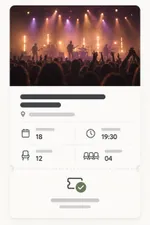
Night Garden Live

Hendelser1t

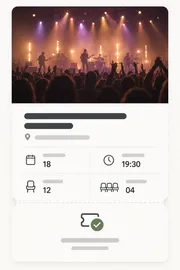
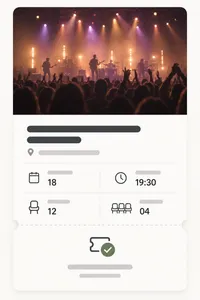
To billetter til Night Garden Live i Havnehallen, lørdag den 18., dørene åpner kl. 19.30.

Et skjermbilde av en konsertbillett

Spør Sam om den andre billetten

Strandtur

Reiser5t

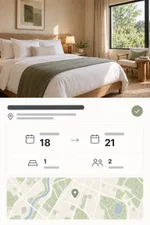
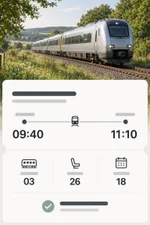
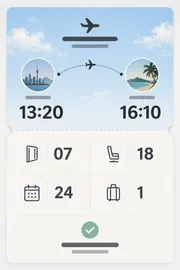
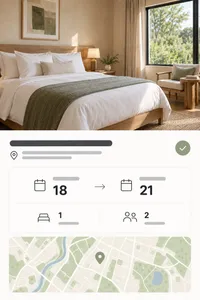
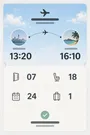
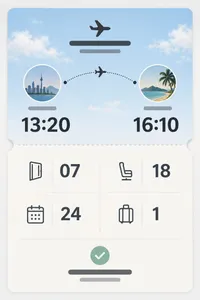
Flyet, hotellet og togbilletten til strandturen, samlet i ett sett.
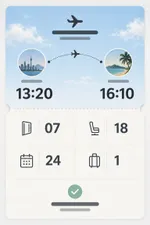
Et skjermbilde av et boardingkortEt skjermbilde av en hotellreservasjonEt skjermbilde av en togbillett

Del, favorittmerk eller tegn på dem.

Favorittmerk de beste, tegn på dem, og del hvilket som helst skjermbilde som et rent bildekort eller et klistremerke.
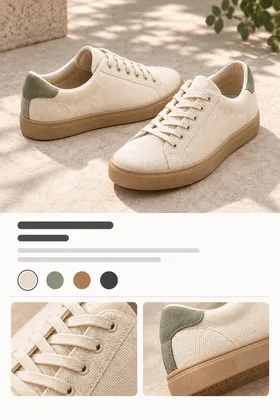
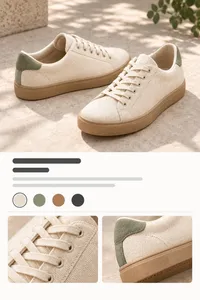
Et skjermbilde av et par joggesko
Hverdagssko

Gaveidé til Noras bursdag

Påminnelser og hendelser, helt automatisk.

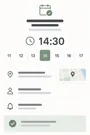
Sieva finner datoer og frister i skjermbildene dine og gjør dem om til påminnelser og kalenderhendelser, med notatet ditt vedlagt.
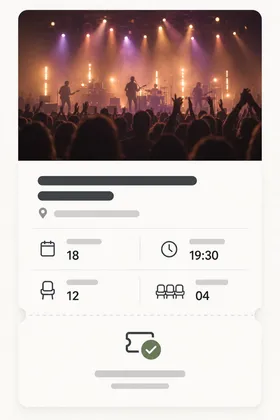
Et skjermbilde av en konsertbillett

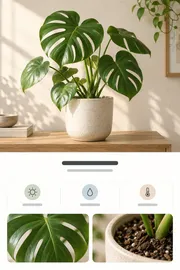
Plant om monsteraen

Større potte, ny jord

søn. 12. okt. 10:00

Legg til i kalender

Night Garden Live

lør. 18. okt. · 19:30–22:30

Havnehallen

Legg til

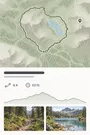
Se detaljene, relaterte bilder, farger og tekst.

Åpne et skjermbilde for å se hva Sieva har hentet ut: navnene, prisene, datoene og stedene, bildene som hører til, fargene og hvert eneste ord med tekst.


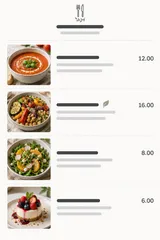
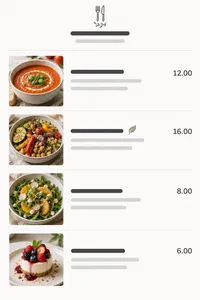
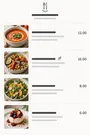
Et skjermbilde av en oppskrift

Tomatspagetti med sitron

  • 25 min
  • 2 porsjoner
  • Oppskrifter

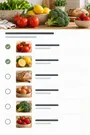
Vi hjelper deg å sortere.

Oppskrifter med oppskrifter, reiser med reiser. Sieva sorterer dem i smarte bunker, og du kan også lage akkurat de bunkene du vil.

Bunker

Mine bunker

1Jentehelg
Opprett bunke

Smarte typer

Smart3Hendelser
Smart4Reiser
Smart2Matlaging
Smart2Lister og gjøremål
Smart3Shopping
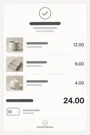
Smart1Kvitteringer

Søk etter hva som helst.

Søk slik du ville beskrevet det for en venn. Sieva vet hva et skjermbilde er, ikke bare hva det står på det.

Rydd i kamerarullen.

Når det viktige er lagret, rydder du originalene ut av Bilder i omganger du går gjennom selv. Ingenting forsvinner uten at du sier ja.

Nylige16 objekter9 objekter

Prøv betaen

Sieva er åpen for testing i TestFlight, Apples app for betaversjoner. Du trenger en iPhone med iOS 27.

Bli med i TestFlight

Åpne denne siden på iPhonen din, eller installer TestFlight først og trykk på lenken der.

Ofte stilte spørsmål

Hva er Sieva?

Sieva er en app som rydder i skjermbildene dine på iPhone (og iPad og Mac).

Den leser skjermbildene, prøver å finne ut «hvorfor», og tar vare på det nyttige: navn, priser, datoer, steder og ting.

Så kan du finne alt igjen slik du husker det.

Bruker Sieva kunstig intelligens (KI)?

Ja, nærmere bestemt Apple Intelligence, rett på Apple-enheten din.

Ingen KI-selskap utenfra, og ingen konto.

Skjermbildene dine blir aldri lest av noen tredjepart, brukt til å trene noe eller brukt til å målrette reklame mot deg.

Hvilke enheter fungerer Sieva på?

Alle iPhone-modeller med iOS 27. iPhone-appen lanseres i oktober 2026.

iPad, iPhone Duo og Mac følger i høst.

Den fungerer best på enheter som støtter Apple Intelligence. På eldre iPhone-modeller kan Sieva bruke Apples Private Cloud Compute der det er tilgjengelig, hvis du slår det på.

Blir skjermbildene mine lastet opp noe sted?

Bare til din egen iCloud. Vi kan verken se eller få tilgang til skjermbildene eller appdataene dine.

Hvis du slår på Private Cloud Compute, hjelper Apples servere med å lese dem og beholder ingenting etterpå.

Trenger jeg en konto?

Nei da. Ingen registrering, ingen innlogging.

Bare iPhonen din og din iCloud.

Hva koster Sieva?

Det er et abonnement, månedlig eller årlig, og du starter med en gratis prøveperiode.

Med årsabonnementet blir det litt over 3 amerikanske dollar i måneden.

Prisene varierer fra land til land, så sjekk App Store for å se hva det koster der du bor.

Fjerner Sieva skjermbilder fra bildebiblioteket mitt?

Bare når du sier det.

Skjermbilder du rydder bort, bor i Sieva fra da av.

Hvordan skiller Sieva seg fra å søke i Bilder?

Bilder finner ordene i et skjermbilde og et begrenset utvalg typer objekter.

Sieva prøver å forstå hva det er, og å spørre «hvorfor ble dette lagret»: en oppskrift, en flyreise, et par sko til senere osv.

Synkroniserer Sieva mellom enhetene mine?

Ja, via din egen iCloud.

iPad- og Mac-appene som kommer i høst, bruker det samme biblioteket. Begynner du med iPhone nå, henter Mac- og iPad-appene inn alle skjermbildene, bunkene og resten av dataene dine.

Hvilke språk og land kommer Sieva til å støtte?

Så mange vi kan!

Sieva starter med de rundt 17 språkene Apple Intelligence støtter.

App Store-siden viser alle landene ved lansering.

Kan jeg prøve Sieva tidlig?

Ja, betaen er åpen for alle i TestFlight.

Trykk på «Prøv betaen» på denne siden fra iPhonen din. Du trenger iOS 27.

Hvem lager Sieva?

Primary Vector, vi er en liten duo i Seattle. Vi har laget apper og forbrukeropplevelser i flere tiår hos store selskaper, og bestemte oss for at vi heller ville jobbe for oss selv og lage appene vi selv vil se finnes.


Privacy Policy

Effective date: October 1, 2026

Sieva is built so that your screenshots, and everything Sieva learns from them, stay yours. They live on your device and, if you choose, in your own iCloud account. We cannot see them, or any personally identifiable data about you. This policy explains the small amount of information we do handle, and how to turn off the one optional piece.

Sieva is still in development. This policy covers this website today and the app as it will ship; we will update it if anything changes before launch.

Your screenshots and what Sieva extracts from them

Sieva reads screenshots you choose to import, pulls out text and details, and organizes them. That processing happens on your iPhone. The images, the extracted text and fields, your notes, reminders, stacks, and search history are stored on your device or in your personal iCloud account, which we have no access to. They are never sent to us.

On iPhone, Automatic uses Apple’s Private Cloud Compute when available, sending screenshots, your searches and questions, and relevant text to Apple for private processing. It falls back to on-device processing. Choose Built-in Brain in Settings to keep analysis on your iPhone. Private Cloud runs under Apple’s privacy terms. We do not receive anything from it. Apple describes the guarantees Private Cloud Compute makes about user data in its security research post:

We designed Private Cloud Compute to make several guarantees about the way it handles user data:

  • A user’s device sends data to PCC for the sole, exclusive purpose of fulfilling the user’s inference request. PCC uses that data only to perform the operations requested by the user.
  • User data stays on the PCC nodes that are processing the request only until the response is returned. PCC deletes the user’s data after fulfilling the request, and no user data is retained in any form after the response is returned.
  • User data is never available to Apple — even to staff with administrative access to the production service or hardware.

Source: Apple Security Engineering and Architecture, “Private Cloud Compute: A new frontier for AI privacy in the cloud.”

Information we do not collect

Personal information. Sieva has no accounts. The app never asks for your name, email address, or any other personal detail.

Your content. No screenshots, extracted text, notes, search terms, or locations leave your device to reach us.

Ads or third-party tracking. Sieva contains no ads and no advertising or tracking SDKs.

Third-party analytics. The app uses no outside analytics or crash-reporting service. See the next section for what we do collect ourselves, and “The waitlist on this website” for the website.

Anonymous usage and performance metrics via MetricKit

To understand how Sieva performs in the real world and which parts of it people actually use, the app can send us anonymous metrics collected with Apple’s MetricKit framework, the same privacy-preserving system iOS uses to report app performance. You choose whether to share them when you first install the app, and you can change that choice at any time in Settings inside Sieva.

What the metrics contain:

  • Counts and durations: which screens you use and for how long, how long processing takes, how often features are used, and how big your library is. Anything that could be revealing is reported as a broad bucket rather than an exact number. For example:
    • Library size is one of 0, 1–99, 100–999, 1,000–9,999, or 10,000+.
    • Cleanup batch sizes are bucketed the same way.
    • Private Cloud usage is a band such as “ok”, “approaching limit”, or “limit reached”, never a request count tied to you.
  • Performance and stability: launch time, hangs, memory, and crash diagnostics, attributed to which screen or task was active.
  • Device model, iOS version, app version, language, App Store country, which plan you’re on, and a random install identifier.

What they never contain:

  • Screenshots, extracted text or fields, notes, search terms, or the names of anything you created.
  • Your name, email, Apple ID, iCloud identifiers, or hardware identifiers.
  • Your location, IP address, or any other network identifier.
  • Any other metadata that could be used to personally identify you.

The install identifier is a random number created when Sieva is first installed. It is not linked to you or your device, and it is deleted when you turn metrics off; turning them back on creates a new one. Metrics are sent to servers we operate on Cloudflare and are used only to fix bugs and improve the app. They are not shared or sold.

Crash reports through Apple

Separately, if you have opted in to sharing analytics with app developers in iOS Settings under Privacy & Security, Apple may send us standard crash and diagnostic reports for Sieva. These contain no personal information or device identifiers. You can turn that off in the same iOS setting.

Photos access

Sieva asks for access to your Photos library only to import the screenshots you select, and later, if you choose, to delete the originals it has already saved. Deletion never happens silently: you review each batch, confirm it, and the items go to Recently Deleted in Photos where they can be recovered for 30 days.

iCloud

Sieva uses iCloud for syncing, with all synced data securely stored in your iCloud account. Sync is optional, it uses your own private iCloud database, and we cannot read what is in it.

The waitlist on this website

If you join the waitlist we store your first name, your email address, whether you ticked the beta-testing box, and when you signed up. We use that to send one email when Sieva launches and, if you asked, TestFlight invitations. We don’t sell it, share it, or add you to anything else. To be removed, reply to any email we send or write to us at the address below and we will delete the record.

To see how many people visit and how they found us, this website may use privacy-first web analytics, such as Cloudflare Web Analytics. If it does, it only counts visits: the page, the site that linked to it, your country, and your browser and device type, reported to us in aggregate. It sets no cookies, stores nothing on your device, does not fingerprint you, and does not follow you to other sites. We will never use advertising or cross-site tracking on this website. The website is served by Cloudflare, which keeps the ordinary short-lived request logs any host does.

Support requests

If you contact us through the support form, we store your first name, email address, the topic, your message, and any device details or screenshots you choose to add. We keep them in our own database on Cloudflare and file them in Linear, the issue tracker we use to answer and follow up; screenshots are stored in Linear only. We use them to reply and to fix what you report, nothing else. To have a request removed, write to us at the address below.

When you write from inside the app with usage sharing on, the form offers to include your install identifier, checked by default. If you leave it checked, we can look up the usage and crash reports from your install to help with your request, which links those reports to your email for that purpose. Uncheck it and the identifier is not sent.

The form uses Cloudflare Turnstile to keep out bots. It checks your browser without cookies for tracking or advertising and without asking you to solve puzzles; see Cloudflare’s Turnstile privacy addendum.

Videos on this website

Some guides include videos hosted on YouTube. Until you press play, a video is only a picture served from sieva.app, and your browser does not contact YouTube or Google. When you press play, the video loads from YouTube’s privacy-enhanced mode (youtube-nocookie.com), andGoogle’s privacy policy applies to it.

Data storage and security

Everything Sieva creates is stored on your device and, when sync is on, in your iCloud account. Files on the device are protected by iOS data protection. See Apple’s Privacy Policy for details on how iCloud handles data.

Third-party services

Sieva does not integrate with or share data with third-party services, apart from Apple’s App Store for purchases. When you buy a subscription or unlock, we receive confirmation of the purchase from Apple, not your payment details. If you email us or use the support form, we use your details only to reply, as described under Support requests.

Children’s privacy

Sieva does not knowingly collect personal information from anyone, including children under 13. The anonymous metrics described above contain nothing that identifies a person.

Changes to this policy

We may update this policy to reflect changes in the app or for legal or operational reasons. Updates are posted on this page with a new effective date.

Contact

Questions about this policy or your privacy: Privacy Officer, privacy@primaryvector.com.

Terms of Service

Open as a page

Terms of Service

Last updated: September 24, 2026

These Terms of Service govern your use of Sieva, the website at sieva.app, and any related services provided by Primary Vector Inc. (“we”, “us”).

By downloading or using Sieva, you agree to these Terms of Service and to comply with all applicable laws and regulations. If you do not agree with them, do not use the app or our other services.

If you download Sieva from the Apple App Store, you also agree to the Usage Rules in the App Store Terms of Service, and Apple’s Licensed Application End User License Agreement applies to your use of the app alongside these terms. Where the two conflict, Apple’s agreement governs.

We may review and amend these Terms of Service at any time. When we do, we will update this page and the date above. Changes take effect when they are published.

Subscriptions and free trials

Sieva is a paid app. Full access requires an auto-renewing subscription, offered monthly or yearly, bought through the App Store. Prices are shown in the App Store before you buy and vary by country.

  • Payment is charged to your Apple Account when you confirm the purchase.
  • A subscription renews automatically at the end of each period unless you cancel it at least 24 hours before the period ends. Your account is charged for the renewal within the 24 hours before the period ends.
  • If a free trial is offered, the subscription starts and is charged when the trial ends unless you cancel before then. Any unused part of a trial ends when you buy a subscription.
  • You can manage or cancel your subscription in your Apple Account settings. Canceling stops future renewals; you keep access until the end of the period you paid for.
  • Purchases are processed by Apple. Refunds are handled by Apple under its policies; we cannot issue them directly.

Your content

Your screenshots, the details Sieva extracts from them, and your notes, stacks, and reminders are yours. Sieva stores them on your device and, if you turn on sync, in your own iCloud account. We do not receive, own, or have access to them. You are responsible for having the right to keep and use the images you import.

Sieva has no accounts on our servers. The anonymous usage metrics the app can send, which you can turn off at any time, are described in our Privacy Policy.

Cleaning up your Photos library

Sieva can remove original screenshots from your Photos library after it has saved them. This only happens when you review a batch and confirm it. Removed items go to Recently Deleted in Photos, where Photos keeps them for about 30 days before removing them permanently. Please review each batch before confirming; once Photos permanently removes an item, neither we nor Sieva can recover it.

Extracted details and suggestions

Sieva reads screenshots automatically, preferring Apple’s Private Cloud Compute on iPhone with on-device fallback. Built-in Brain keeps analysis on your device. The text, names, prices, dates, places, stacks, reminders, and calendar events it suggests may be incomplete or wrong. Check anything important, such as a travel time, a price, or a deadline, against the original screenshot or its source before you rely on it.

Private Cloud Compute is provided by Apple, requires internet, has a daily usage allowance, and is subject to Apple’s terms and privacy policy.

Beta versions

Pre-release versions of Sieva distributed through TestFlight are unfinished. They may contain bugs, change without notice, or lose data, and are provided for testing only.

Limitations of use

By using Sieva, you agree that you will not:

  • Modify, copy, prepare derivative works of, decompile, or reverse engineer Sieva or any software contained within the app.
  • Remove any copyright or other proprietary notices from Sieva or its materials.
  • Transfer Sieva or its associated materials to another person or “mirror” the materials on any other server.
  • Use Sieva in a way that abuses or disrupts our networks or any other service provided by Primary Vector Inc.
  • Use Sieva to store or share material that is unlawful or that you have no right to use.
  • Use Sieva in violation of any applicable laws or regulations.
  • Attempt to access, modify, or interfere with any part of the app’s code or functionality.

Intellectual property

The intellectual property in Sieva is owned by or licensed to Primary Vector Inc. You are granted a limited, non-exclusive, non-transferable license to use Sieva on devices you own or control, for personal use. This license does not transfer ownership and may be revoked if these Terms of Service are violated.

Liability

Sieva is provided on an “as is” basis. To the extent permitted by law, Primary Vector Inc. makes no warranties, expressed or implied, and disclaims all other warranties including, but not limited to, implied warranties of merchantability, fitness for a particular purpose, or non-infringement of intellectual property.

To the extent permitted by law, Primary Vector Inc. is not liable for any loss or damages resulting from the use of Sieva, including but not limited to loss of data, photos, revenue, or goodwill.

Links

External links on this website or in the app are not endorsed or controlled by Primary Vector Inc., and you access them at your own risk.

Right to terminate

We may suspend or terminate your right to use Sieva immediately upon written notice if you breach these Terms of Service.

Severance

If any provision of these Terms of Service is found to be unenforceable or invalid, it will be severed, and the remaining provisions will remain in effect.

Governing law

These Terms of Service are governed by and construed in accordance with the laws of Delaware (DE). You agree to submit to the exclusive jurisdiction of the courts in that state, except where the law of the country you live in gives you rights that cannot be waived.

Contact

Questions about these terms: privacy@primaryvector.com.